
Live vehicle status
Check your Tesla's real-time battery status, range, and location from your iPhone through your TeslaMate server.
See live battery status, drive routes, and charge costs. Add widgets for your last drive and last charge. Fastcruise connects to your own TeslaMate server. Every feature is unlocked, with no purchases or subscription.

Requires an iPhone with iOS 18 or later and your own TeslaMate server with TeslaMateApi. Read the setup guide, or let your AI agent do it with the setup skill.
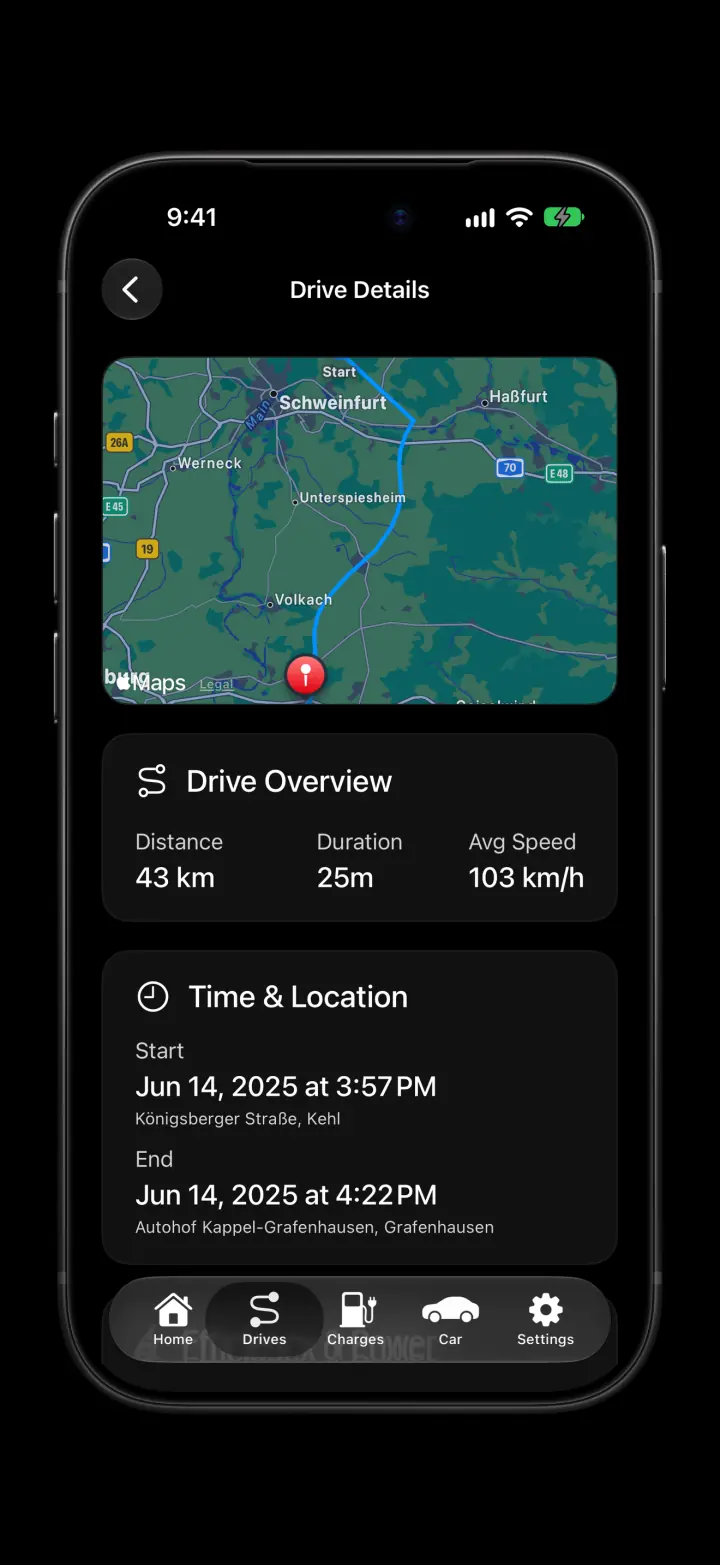
Fastcruise is free with every feature unlocked. Explore your car, drives, and charges on your iPhone. Your TeslaMate server supplies the data.
Check your Tesla's real-time battery status, range, and location from your iPhone through your TeslaMate server.
Review recorded drives with route maps, distance, duration, and efficiency. See the details of each trip, not just a total.
See the energy, duration, and cost of each charge. Review past charges with the data in TeslaMate.
Add widgets to your iPhone home screen to see your last drive and last charge without opening the app.
Fastcruise connects directly to your TeslaMate server. No other server is between the app and your data.
No trackers, no analytics, no account. Your connection details stay on your iPhone.
One Tesla owner made Fastcruise. Your data never goes to the developer. Thus the developer cannot make money from your data. No purchase, no subscription, no ads.
TeslaMate writes your car data to a server that you control.
The TeslaMateApi add-on gives your data to apps over a private API. The API uses an access token.
Enter your server URL and token in the app. That is the whole setup.